






Article
Introducing the Moose Client App: A Smarter Way to Keep Your Website Up to Date
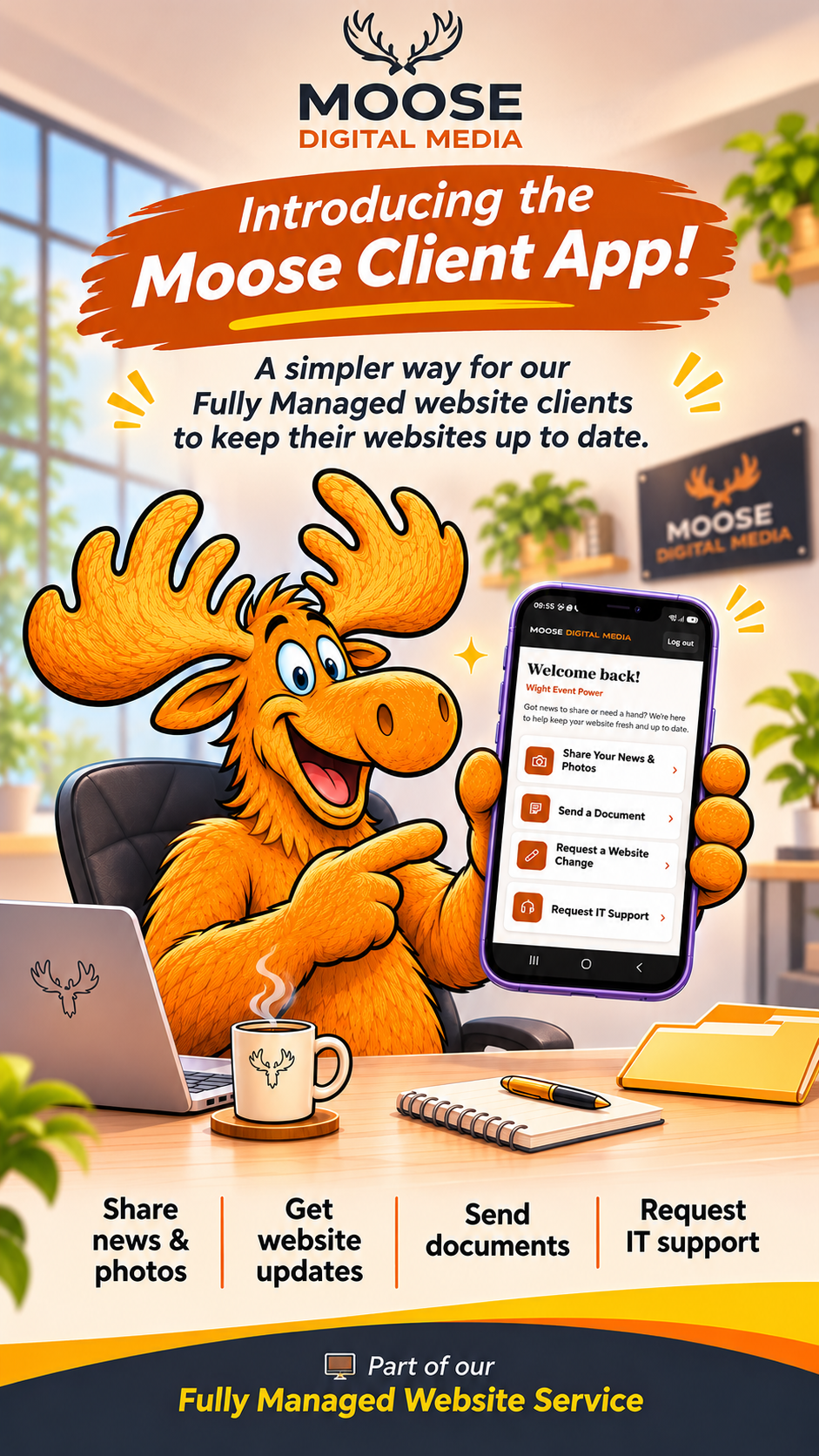
Built in-house by Moose Digital Media, our new client app makes it easier to share news, upload photographs, request website changes and keep your online presence fresh — with a little help from AI.
TL;DR – The Moose Client App in 5 Points
- Built around our clients: We developed the Moose Client App to make keeping websites updated simpler and more convenient for busy business owners.
- Share updates straight from your phone: Clients can send news, photographs, newsletters and website change requests without searching through emails.
- AI helps tell the story: Our built-in AI assistant asks helpful questions, making it easier to turn a few thoughts or photographs into useful content.
- Everything in one place: Clients can track requests, while our team manages submissions through a dedicated dashboard.
- Included with Fully Managed websites: The app is part of our Fully Managed website service, reflecting our growing investment in custom software development.

The Moose Client App: Making Website Management Easier for Everyone
At Moose Digital Media, we've always believed that having a professional website should make running a business easier, not create more work.
That's why our Fully Managed website service goes beyond simply designing and hosting websites. We help our clients keep their websites fresh, relevant and up to date, creating blog articles, sharing news and making changes as their businesses develop.
But there has always been one challenge.
Getting the information we need from busy business owners.
Our clients are running preschools, providing services, managing events, looking after customers and generally getting on with their working day. Writing an update for their website understandably isn't always at the top of their list.
We wanted to change that.
And rather than look for another piece of off-the-shelf software, we decided to build something ourselves.
The result is the Moose Client App, developed in-house by Moose Digital Media.
It Started With a Simple Question
What if we could make sending website updates so easy that our clients could do it in a few spare minutes on their phones?
In the past, a typical monthly update might involve several emails.
We might ask a client whether they had any news to share. They would reply with a few thoughts, perhaps followed by some photographs. We might then ask additional questions to gather enough detail for a blog article or social media post.
None of this was particularly difficult. But it took time, and information could easily become scattered across different emails and conversations.
For clients who aren't naturally comfortable writing, it could also feel like another task they had to complete.
We realised that the problem wasn't a lack of interesting things happening in their businesses.
It was that sharing those stories needed to be easier.
That became the starting point for the Moose Client App.
A Simple Way to Share News and Photographs
One of the first decisions we made was that the app needed to work naturally on a mobile phone.
Most business owners have their phones with them throughout the day. They're already taking photographs of projects, activities, events and everyday business life.
So why make them transfer those images to a computer, write an email and send everything separately?
With the Moose Client App, clients can open the app on their phone, select photographs from their camera roll and tell us a little about what's been happening.
That might be a preschool sharing photographs of a recent activity, a tradesperson showing a completed project or a business announcing a new service.
The process starts with whatever the client has available.
They don't need to arrive with a perfectly written article.
That's where another important part of the app comes in.
Using AI to Ask Better Questions
Artificial intelligence is becoming part of everyday business life, but we're particularly interested in using it to solve practical problems.
For the Moose Client App, we didn't want AI to simply generate generic content from a few keywords.
We wanted it to help our clients share their own stories.
Imagine a client uploading several photographs of a recent event and writing:
“We had a brilliant day on Saturday. Lots of people came along and everyone really enjoyed themselves.”
That's a great starting point, but we might need a little more information before turning it into a meaningful blog article.
Our AI assistant can help by asking relevant follow-up questions.
For example, it might ask what the event was raising money for, how many people attended or whether there was a particularly memorable moment.
The questions are designed to gather useful details without making the process feel like filling in a lengthy questionnaire.
We can then use those answers to create content that reflects what actually happened.
The AI isn't there to replace our clients' voices. It's there to help us capture them.
Learning About Each Business
We also recognised that different businesses need different questions.
A preschool sharing a story about a children's activity has very different requirements from a generator hire company describing an event installation.
That's why we've built business knowledge into the application.
As we develop each client's profile, we can provide the system with relevant information about their business, services and the type of content they share.
This helps the AI ask more appropriate questions while allowing us to review and manage the information it uses.
It's a practical example of how AI can become more useful when it's designed around a particular business process.
More Than Just Monthly Updates
Although the original idea was to simplify monthly content updates, we soon realised the same approach could help with other everyday tasks.
Clients regularly need to send us information that doesn't necessarily belong in a blog article.
They might need to change opening hours, update a service description, replace an image or ask for help with an email problem.
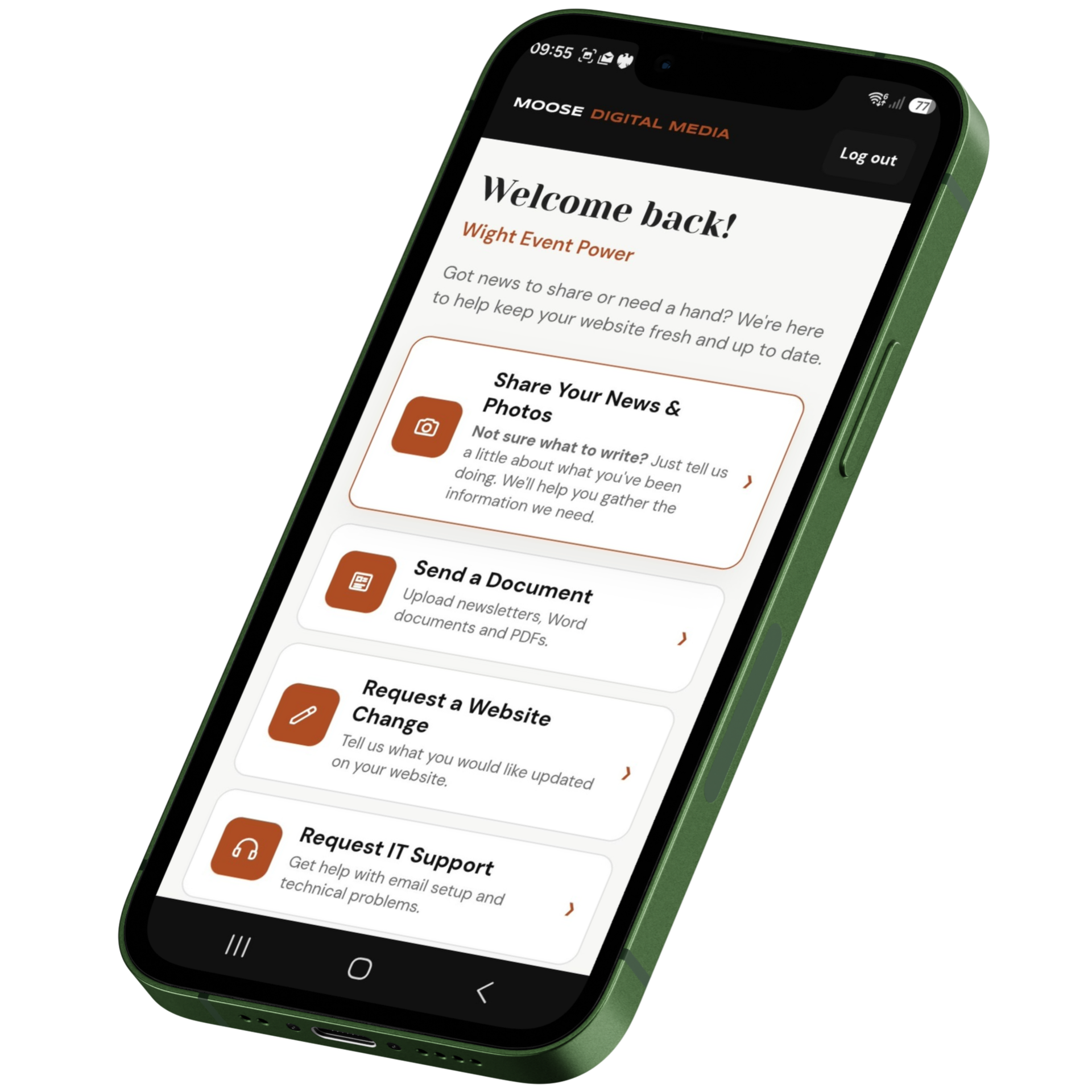
So we expanded the app to include several useful features.
News and Photos
- Clients can share stories, news and photographs for potential use across their website, blog and social media channels.
Documents and Newsletters
- Existing newsletters, Word documents and PDFs can be uploaded directly, making it easier to share information that has already been prepared.
Website Change Requests
- Whether it's updating text, changing a photograph or adding new information, clients can submit requests through the app rather than starting another email conversation.
IT Support Requests
- Clients who need help with technical issues, such as email setup or related website services, can send us a support request.
My Requests
- Clients can see their previous submissions and follow their progress, rather than wondering whether a request has been received or completed.
Together, these features make the Moose Client App a central place for communicating with our team.
Making Life Easier Behind the Scenes, Too
Of course, we didn't just want to make the process simpler for clients.
We also wanted to improve how we manage their updates once they arrive.
Alongside the client-facing app, we've developed our own administration dashboard, which we call the Moose Control Centre.
This brings client updates, documents, website changes and support requests into one organised workspace.
When a client submits something, we can review the information, access their photographs, manage the request and update its progress.
We can also receive notifications when new submissions arrive, helping us respond promptly without constantly checking emails.
This is particularly important as we continue to grow.
Having a more structured process means we can spend less time chasing information and organising requests, and more time doing the creative work our clients employ us for.
Why We Decided to Build It Ourselves
There are plenty of project management systems, client portals and content submission tools available.
Some are excellent.
But we weren't looking for a general-purpose system with dozens of features we'd never use.
We wanted something designed around the way Moose Digital Media works and the way our clients prefer to communicate.
That meant making some deliberate choices.
The app needed to be straightforward, work well on mobile devices and avoid asking clients for unnecessary information.
It also needed to support our particular workflow, including monthly content updates, AI-assisted questions, photographs, website changes and support requests.
Building the application ourselves gave us the flexibility to create those features and refine them through testing.
It also meant we could develop a system that we control and can continue improving as our needs change.
A New Direction for Moose Digital Media
Developing the Moose Client App has reinforced something we've believed for some time.
Many businesses have everyday processes that could be made significantly easier with the right software.
It might involve managing customer enquiries, tracking equipment, organising bookings or reducing repetitive administration.
Often, the difficulty isn't that the business needs an enormous software system.
It's that the available systems don't quite fit the way that business operates.
By developing the Moose Client App in-house, we've also been expanding our experience in creating custom applications designed to solve specific business problems.
That's an area we're increasingly excited about.
While website design and digital marketing remain at the heart of Moose Digital Media, custom software development gives us another way to help businesses work more efficiently.
And our own client app is a working example of that approach.
Built With Privacy and Security in Mind
When developing any application that handles business information and photographs, privacy and security are essential considerations.
The Moose Client App uses secure client accounts, with access to the appropriate business workspace.
We've also built in data management processes, controlled access to client information and arrangements for backups and data retention.
The application operates on infrastructure we manage, giving us greater control over how the service is maintained and developed.
We've designed these safeguards into the system rather than treating them as an afterthought.
Our clients can also find information about how their data is handled in the app's privacy and data security statement.
Included With Our Fully Managed Website Service
The Moose Client App isn't intended to be another subscription our Fully Managed clients have to purchase.
We've developed it as part of our ongoing commitment to providing a genuinely managed website service.
Our aim is to make it easier for clients to keep us informed, while giving our team the information we need to maintain an active and engaging online presence for their businesses.
We're now beginning to introduce the app to our clients and look forward to seeing how they use it.
As with any software we develop, we'll continue listening to feedback and looking for ways to make it even more useful.
Less Admin. More Life.
Looking back, the Moose Client App started with a very ordinary problem.
We needed a better way for clients to send us updates.
But by looking carefully at how that process worked, and where it could be improved, we've created something that goes considerably further.
It helps clients share information more easily. It gives us a better way to manage requests. And it allows us to use AI in a practical, purposeful way.
Most importantly, it removes some of the small frustrations that can make running a business unnecessarily complicated.
And that's really what good technology should do.
Make everyday work simpler, give people back some of their time and let them focus on the things that matter.
The Moose Client App is one small example of that philosophy in action.
Built by the Moose. Made for our clients.

Interested in a Fully Managed Website or Custom Business App?
Whether you'd like a website that we actively help you maintain, or you're wondering whether a custom application could simplify the way your business operates, we'd be delighted to have a conversation.
At Moose Digital Media, we believe the best digital solutions start by understanding how a business actually works.
share this
Related Articles
Related Articles




CALL ME BACK
ready to talk?
Do you want to see how We can help your business grow?
No hard sell, no obligation - just fill in the details below and we'll get back to you!
Call me back



 by